You are dynamic. You are constantly in danger of bringing down the house, because you don’t play well with others. I dont even know what that means…
Ha ha ha!
A .dll is a Dynamicaly Linked Library. In plain English, here’s how it works:
Intro to Libraries Let’s say that you’re a programmer and you write a piece of code that is really useful. (For example, converting Fahrenheit to Celsius) This is some code that you know you’re going to use over and over and over again. So you’d put this into a funtion.
A library is just a collection of functions. So say you had the following list of functions:
Fahrenheit to Celsius Celsius to Fahrenheit Fahrenheit to Kelvin Kelvin to Fahrenheit Celsius o Kelvin Kelvin to Celsius
you would take those functions and put the code into one file. Now you have a library of functions. With me so far?
The next topic is a bit esoteric, but see if you can’t reason through it.
Static Linking When you are programming and use a library (remember, it’s just a text file with the code [instructions to the computer]), you link it statically. This means, that when you compile (translate the programming language into something that the computer can understand) the code together, you tell the computer that it needs to get the function out of such-and-such library (file). What actually happens, however, is that the entire library gets linked put into the code, not, just the one function you’re calling.
Now, here’s the problem: let’s say that the code in the library is something very useful, such as instructions on how the computer should play music. Now, there are a lot of applications out there that play music, so we don’t want to needlessly rewrite code. Therefore, we take the actual “playing” of the music, stick in a library, and now all the music programs can use that one file. This is done to reduce errors, make software more compatible with other software, and most importantly, easily updateable.
However, if each application uses it’s own copy of the library, it’s wasting precious resources such as memory. Programmers needed a solution that would allow for one copy of the library to be in memory and let all of the applications use that one copy. Enter DLLs.
Dynamically Linked Library or .dll As the name implies, .dlls are linked dynamically. That is to say that they instead of becoming part of the program at compile time, the code just say, “hey, when you run me, feed me such-and-such library.” Here’s the beauty: when the program is running, it can use that one library that’s in memory because the link happens while the program is running, instead of when it’s assembled.
This sounds great, because now any number of simultaneously running program can now use that one library that’s been loaded into memory. Unfortunately, by solving one problem, many more were formed.
DLL Hell The problem with .dlls is that there is no version control. Let’s say that I come up with my own temperature scale. I don’t want to have to re-write that entire library over again, so I just add the conversions to and from my temperature scale and re-release the library. But what happens when you already have tempConverter.dll (the older library) on your system, but I try to run my program? My program is still looking for a library called tempConverter.dll However, I’m looking for the new version. When my program tries to call the function to convert from Fahrenheit to my new temperature scale, the program dies a horrible death, locking up your system.
Inerpreting the meaning of that cryptic response
You are dynamic This means that you change a lot. Also, it means that no one knows what version you are.
You are constantly in danger of bringing down the house, because you don’t play well with others. Because the computer doesn’t know what version of the .dll you are, you can cause trouble if you aren’t the correct one.
Of course, this was all in reference to your personality, but now you have (at least my feeble and humble attempt) a plain English explanation of what it means that “you’re a .dll” and why it’s so funny.
Are you TRYING to drive her away, Tom?
no. I was merly explaining it to her so she could get the joke.
I was a .pdf? “No matter where you go you look the same. You are an acrobat. Nothing is more important to you than the printed word.”
Tom: When the explanation of the joke is 683 words long, chances are you sucked the funny right out of the room.
emo girl: Portable Document Format (PDF) is a proprietary file format developed by Adobe Systems for representing two dimensional documents in a device independent and resolution independent format. Each PDF file encapsulates a complete description of a 2D document (and, with the advent of Acrobat 3D, embedded 3D documents) that includes the text, fonts, images, and 2D vector graphics that compose the document. Importantly, PDF files don’t encode information that is specific to the application software, hardware, or operating system used to create or view the document. This feature ensures that a valid PDF will render exactly the same regardless of its origin or destination. PDF is also an open standard in the sense that anyone may create applications that read and write PDF files without having to pay royalties to Adobe Systems.
PDF files are most appropriately used to encode the exact look of a document in a device-independent way. While the PDF format can describe very simple one page documents, it may also be used for many pages, complex documents that use a variety of different fonts, graphics, colors, and images.
Readers for many platforms are available, both free (such as Xpdf) and proprietary (such as Adobe Reader) and front-ends for many platforms to Ghostscript.
Proper subsets of PDF have been, or are being, standardized under ISO for several constituencies:
* PDF/X for the printing and graphic arts as ISO 15930 (working in ISO TC130) * PDF/A for archiving in corporate/government/library/etc environments as ISO 19005 (work done in ISO TC171) * PDF/E for exchange of engineering drawings (work done in ISO TC171) * PDF/UA for universally accessible PDF files
When PDF first came out in the early 1990s, it was slow to catch on. At the time, not only did the only PDF creation tools of the time (Acrobat) cost money, but so did the software to view and print PDF files. Early versions of the PDF format had no support for external hyperlinks, reducing its usefulness on the web. Additionally, there were competing formats such as Envoy, Common Ground Digital Paper, DjVu and even Adobe’s own PostScript file format (.ps). Adobe started distributing the Acrobat Reader (now Adobe Reader) program at no cost, and continued to support PDF through its slow multi-year ramp-up. Competing formats eventually died out, and PDF became a well-accepted standard.
Tom: Half as long. Suck it.
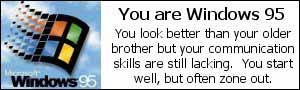
Windows 95 (codename Chicago) is a hybrid 16-bit/32-bit graphical user interface-based operating system released on August 24, 1995 by the Microsoft Corporation.
The development of Windows 95 occurred as a direct result of combining Microsoft’s formerly separate MS-DOS and Windows products. Along with the previous Windows version, Windows for Workgroups 3.11, Windows 95 was the second in that line without support for older, 16-bit x86 processors, thus requiring an Intel 80386 (or compatible) processor running in protected mode. It featured significant improvements, most visibly the graphical user interface (GUI) whose basic format and structure is still used today in Windows XP. There were also large changes to the underlying workings, including support for 255-character mixed-case long filenames and preemptively-multitasked protected-mode 32-bit applications.
The introduction of 32-bit File Access in Windows for Workgroups 3.11 meant that 16-bit real mode MS-DOS was no longer used for managing the files while Windows was running, and the earlier introduction of the 32-bit Disk Access meant that PC BIOS wasn’t used for managing hard disks. This essentially reduced MS-DOS to the role of a boot loader for the protected-mode Windows kernel. DOS could still be used for running old-style drivers for compatibility, but Microsoft discouraged using them, as this prevented proper multitasking and impaired system stability. The Control Panel allowed a user to see what MS-DOS components were still used by the system; optimal performance was achieved when they were all bypassed. The Windows kernel still used MS-DOS style real-mode drivers in the so-called Safe mode, but this mode existed merely to allow a user to fix problems with loading native, protected-mode drivers.
The 32-bit File Access was necessary for the long file names feature introduced with Windows 95 through the use of the VFAT file system. It was available to both Windows programs and MS-DOS programs started from Windows (they had to be adapted slightly, since accessing long file names required using larger pathname buffers and hence different system calls). Competing DOS-compatible operating systems needed an upgrade to be able to see these names. Using older versions of DOS utilities to manipulate files meant that the long names were not visible and would be lost if files were copied or moved around. During a Windows 95 automatic upgrade of an older Windows 3.1 system, DOS and third party disk utilities which could destroy long file names were identified and made unavailable (Microsoft Anti-Virus for Windows indicated that the upgrade program was itself a computer virus). If Windows 95 was started in DOS mode, e.g. for running DOS games, low-level access to disks was locked out. If the need arose to depend on disk utilities that do not recognize long file names, such as MS-DOS 6.22′s defrag utility, a program was provided on the CD-ROM called LFNBACK for backup and restoration of long file names. The program is in the ADMINAPPTOOLSLFNBACK directory of the Windows 95 CD-ROM.
Windows 95 brought much greater power and usability to the desktop GUI, and also ended competition in the desktop operating system market. While it was technically possible (but not a good idea given the above) to start the Windows 95 kernel and GUI from DR-DOS – and probably PC-DOS too – this did not emerge in court until some years later, by which time the other major players in the DOS market were effectively out of business. In the marketplace, Windows 95 was an unqualified success, and within a year or two of its release had become the most successful operating system ever made.
Internet Explorer 4.x came with an optional item known as Windows Desktop Update that, once installed, gave Windows 95 (and NT 4.0) a user interface much the same as Windows 98. This was dropped from later versions of Internet Explorer, but was not removed from the system if it was already installed.
A very early beta release of the software featured “Navigator”, a GUI whereby the user clicked on parts of images to move around a “house” from study to living-room to dining room. Software was then opened by clicking individual items, i.e. a notepad on the coffee-table to open Microsoft Works.
Windows 95 was released with a great fanfare, including a commercial featuring the Rolling Stones song “Start Me Up” (a reference to the Start button)[1]. Microsoft’s advertising campaign featured stories of people waiting in line outside stores to get a copy, and there were tales of people without computers buying the software on hype alone, not even knowing what Windows was.
Windows 95 marked the introduction of the Start button and taskbar to Microsoft’s GUI, both of which have remained staples of all subsequent versions of Windows.
I am .swf I am flashy, but lack substance. I like playing, but often I am annoying. Grow up.
See, that’s funny because:
Macromedia Shockwave is Macromedia’s first and most successful multimedia player prior to the advent of Macromedia Flash. In an attempt to raise its brand profile all Macromedia players prepended Shockwave to their names in the late 1990s. Although this campaign was very successful and helped establish Shockwave Flash as a dominant multimedia plugin, Shockwave and Flash became more difficult to maintain as two separate products. As of 2005, Macromedia marketed three distinct browser player plugins under the brand names Macromedia Authorware, Macromedia Shockwave and Macromedia Flash.
Although Macromedia Shockwave was designed for making a wide variety of online movies and animations, its actual use has become concentrated in the area of game development. Shockwave’s 3D engine is still unchallenged in this market having replaced Java as the most popular engine for online games. Flash files can be played on a Shockwave player, but not vice versa. Other features not replicated by Flash include a much faster rendering engine, including hardware-accelerated 3D, direct pixel access on bitmap images, blend modes for layered display of graphic assets and support for various network protocols, including Internet Relay Chat. Furthermore Shockwave’s functionality can be extended with so-called “Xtras”. Unlike Flash, the Shockwave browser plugin is not available for Linux (or Solaris) despite very vocal lobbying efforts by the Linux community.
According to Macromedia.com, Macromedia Shockwave Player is available on 55.4% of Internet-enabled PCs (Shockwave Player Census). Macromedia Shockwave Player uses .DCR files created using the authoring tool Macromedia Director. Its MIME type is application/x-director. Macromedia Flash Player is available on 97.7% of Internet-enabled PCs (Flash Player Census). It uses .SWF files created using Macromedia Flash, FreeHand, Generator, and a number of third-party tools such as OpenOffice.org and Swish. Its MIME type is application/x-shockwave-flash. SWF (Small Web Format (commonly, but wrongly refered to as Shockwave Flash – Shockwave being the format produced by Director), often called simply Flash) is a proprietary vector graphics file format produced by the Macromedia Flash software. Intended to be small enough for publication on the web, SWF files can contain animations or applets of varying degrees of interactivity and function. The Flash program produces SWF as the compressed and uneditable final product, whereas its uses the .fla format for its editable working files.
Flash is currently the most ubiquitous and dominant format for displaying animated vector graphics on the web —far exceeding the open standard SVG format, which has met with problems over competing implementations of the W3C standard. SWF is also sometimes used for creating animated display graphics and menus for DVD movies, and television commercials. According to Macromedia, SWF is pronounced “Ess Doubleyou Eff,” but some people prefer to pronouce it as “swiff.”
Originally limited to presenting vector based objects and images in a simple sequential manner, the newer versions of the format allow audio, video and many different possible forms of interaction with the end user. Once created, SWF files can be played by the Macromedia Flash Player, working either as a browser plugin or as an standalone player. SWF files can also be encapsulated with the player, creating a self-running SWF movie called a “projector”.
The file format was first created by Macromedia and had one main goal: create small files for displaying entertaining animations. The idea was to have a format which could be reused by a player running on any system and which would work with slower network (such as a browser used with a modem). Plugins to play SWF files in web browsers are available from Macromedia for most desktop operating systems, including Microsoft Windows, Apple Mac and Linux on Intel. Macromedia claims that over 97% of web users now have an SWF plugin installed [1], but give little or no information on the survey methodology (such as how participants were selected). In practice, the availability within some communities is much lower, due to Macromedia’s reluctance to allow other software to read the format (see #Licensing).
The format is fairly simple, albeit binary, and therefore not as immediately readable as its XML-based rival SVG. SWF has used zlib compression since 2002, and in general the format aims to store all data using as few bits as possible, therefore reducing redundancy. Although a full specification of SWF is available, it is not an open format, as implementing software that plays the format is disallowed by the specification’s license. Reverse engineering is therefore the only legal way to compete with the official SWF player, and no adequate competition yet exists but Microsoft plans to make Metro, an equivalent format, a new standard.
Implementing software which creates SWF files is permitted, on the condition that the resulting files “[render] error free in the latest publicly available version of Macromedia Flash Player.”
wc -w -> 785
Dude, when I first took this test on ximo’s site, I was a .doc file!
Hysterical! Why, you might ask?
Because:
Microsoft Office Word is a word processing application from Microsoft. It was originally written by Richard Brodie for IBM PCs running DOS in 1983. Later versions were created for the Apple Macintosh (1984), SCO UNIX, OS/2 and Microsoft Windows (1989). It became part of the Microsoft Office suite.
Word’s first general release was for MS-DOS computers on May 2, 1983. It was not well received, and sales lagged behind those of rival products such as WordPerfect.
Although MS-DOS was a character-based system, Word for DOS was the first word processor for the IBM PC that showed typeface markups such as bold and italics directly on the screen while editing, although this was not a true WYSIWYG system. Other DOS word processors, such as WordStar and WordPerfect, used simple text-only display with markup codes on the screen or sometimes, at the most, alternative colors.
However, as with most DOS software, each program had its own, often complicated, set of commands for performing functions that had to be learned (for example, in Word for DOS, a file would be saved with the sequence Escape-T-S; the only similar interface belonged to Microsoft’s own Multiplan spreadsheet), and as most secretaries had learned how to use WordPerfect, companies were reluctant to switch to a rival product that offered few advantages.
Many concepts and ideas were brought from Bravo, the original GUI word processor developed at Xerox PARC, to the original Mac version, which was the first Word version to use a graphical user interface, and the later Word for Windows. Bravo’s creator Charles Simonyi left PARC to work for Microsoft in 1981. Simonyi hired Brodie, who had worked with him on Bravo, away from PARC that summer.
Word for Macintosh was written to match the Mac’s user interface, and as such it had little in common with Word for DOS; it eventually became the source for Word for Windows 1.0. After Word for Mac was released in 1985, it gained wide acceptance: like other Mac software, Word for Mac was a true what-you-see-is-what-you-get (WYSIWYG) editor. There was no Word 2.0 for Macintosh; this was the first attempt to synchronize version numbers across platforms.
The second release of Word for Macintosh, named Word 3.0, was shipped in 1987. It included numerous internal enhancements and new features but was plagued with bugs. Within a few months Word 3.0 was superseded by Word 3.01, which was much more stable. All registered users of 3.0 were mailed free copies of 3.01, making this one of Microsoft’s most expensive mistakes up to that time. Word 4.0, released in 1989, was a very successful and solid product.
The first version of Word for Windows was released in 1989 at a price of 500 US dollars. With the release of Windows 3.0 the following year, sales began to pick up (Word for Windows 1.0 was designed for use with Windows 3.0, and its performance was poorer with the versions of Windows available when it was first released). The failure of WordPerfect to produce a Windows version proved a fatal mistake. It was version 2.0 of Word, however, that firmly established Microsoft Word as the market leader.
Word for Macintosh never had any serious rivals, although programs such as Nisus Writer provided features such as non-contiguous selection which were not added until Word 2002 in Office XP. In addition, many users complained that major updates reliably came two years apart; too long for most business users at that time. Word 5.1 for the Macintosh, released in 1991, was a popular word processor due to its elegance, relative ease of use, and feature set. However, version 6.0 for the Macintosh, released in 1994, was widely derided. It was the first version of Word based on a common codebase between the Windows and Mac versions; many accused it of being slow, clumsy and memory intensive. The Windows version was numbered 6.0 to coordinate product naming across platforms, despite the fact that the previous version was Word for Windows 2.0.
Word 6.0 was the second attempt to develop a common codebase version of Word. The first, code-named Pyramid, was an attempt to completely rewrite the existing Word product. It was abandoned when it was determined that it would take the development team too long to rewrite and then catch up with all the new capabilities that could have been added in the same time without a rewrite. Proponents of Pyramid claimed it would have been faster, smaller, and more stable than the product that was eventually released for Macintosh, which was essentially just Word for Windows running on a Windows simulation layer. Pyramid would have been truly cross-platform, with machine-independent application code and a small mediation layer between the application and the operating system. More recent versions of Word for Macintosh are no longer based on Word for Windows although code is often appropriated from the Windows version for the Macintosh version.
Later versions of Word have more capabilities than just word processing. The Drawing tool allows simple desktop publishing operations such as adding graphics to documents. Collaboration, document comparison, multilingual support, translation and many other capabilities have been added over the years.
Word document format is now the de facto standard of document file format. Though usually just referred to as “Word document format”, this term refers primarily to the format used by default in Word version 97-2003. In addition to the default Word binary format, there are actually a number of optional alternate file formats that Microsoft has used over the years. Rich Text Format (RTF) was an early effort to create a format for interchanging formatted text between applications. RTF remains an optional format for Word that retains all formatting and content of the original document. Later, after HTML appeared, Word supported HTML as an additional full-fidelity roundtrip format similar to RTF, with the additional capability that the file could be viewed in a web browser. Word 2007 (currently in beta) uses the new Office Open XML format as its default format, but retains the older Word 97-2003 format as an option. It also supports (for output only) PDF and XPS format, which is much like an open-source PDF system.
The document formats of the various versions of Word change in subtle and not so subtle ways; formatting created in newer versions does not always survive when viewed in older versions of the program, nearly always because that capability does not exist in the previous version. Wordart also changed drastically in a recent version causing documents that used it to get messed up when moving in either direction. The DOC format of Word 97 was publicly documented by Microsoft, but later versions have been kept private, available only to partners, governments and institutions.
People who don’t use MS Office sometimes find it difficult to use a Word document. Various solutions have been created. Since the format is the de-facto standard, many word processors such as AbiWord or OpenOffice.org need file import and export filters for Microsoft Word’s document file format to compete. Furthermore, there is Apache Jakarta POI, which is an open-source Java library that aims to read and write Word’s binary file. Most of this interoperability is achieved through reverse engineering since documentation of the file format, while available to partners, is not openly available. For the last 10 years Microsoft has also made available free viewer programs that can read Word documents without a full version of the MS Word software. [1]
The aforementioned Word format is a binary format. Microsoft has stated that they will move towards an XML-based file format for their office applications: Microsoft Office Open XML. Word 2003 has an XML file format as an option using a publicly documented schema called WordprocessingML, endorsed by such institutions as the Danish Government.
It is possible for a user to write a plug-in to allow Word to understand any file format. When Microsoft was not the market leader and Word Perfect was, an SDK was developed to allow advanced users to give support to other formats. This SDK is called the WinWord Converter SDK and is still available at the Microsoft web site, though is not maintained. The “professional” edition of Word 2003 includes the ability to handle non-Microsoft XML data schemas directly in Word.
Like other Microsoft Office documents, Word file can be highly customised using a built-in macro language (originally WordBasic, but changed to Visual Basic for Applications as of Word 97). However, this capability can also be used to embed viruses in documents, as was demonstrated by the Melissa worm. Some anti-virus software can detect and clean common macro viruses, and firewalls may prevent worms from transmitting themselves to other systems.
The first virus known to affect Microsoft Word documents was called the Concept virus, a relatively harmless virus created to demonstrate the possibility of macro virus creation.
Yeah, I took this once before too. I was a .tar file.
In computing, the tar file format is a type of archive file format: the Tape ARchive format. These files are produced by the Unix command tar and were standardized by POSIX.1-1998 and later POSIX.1-2001. It is used to collate collections of files into one larger file, while preserving file system information such as user and group permissions, dates, and directory structures.
tar was originally developed for use with sequential access devices such as tape drives, specifically for backup purposes. However, it is now more frequently used as a general archive utility. tar’s linear roots can still be seen in its ability to work on any data stream and slow partial extraction performance, as it has to read through the whole archive to extract only the final file. Commonly a tar file is referred to as a tarball.
As is common with Unix utilities, tar is a single specialist program. It follows the Unix philosophy in that it can “do only one thing” (archive), “but do it well”. tar is most commonly used in tandem with an external compression utility such as gzip, bzip2 or, formerly, compress, since it has no built in data compression facilities. These compression utilities generally only compress a single file, hence the pairing with tar, which can produce a single file from many files. To speed this, the BSD and GNU versions of tar supports the command line options -z (gzip), -j (bzip2), and -Z (compress), which will compress or decompress the archive file it is currently working with, although even in this case the (de)compression is still actually performed by an external program. Compression is sometimes avoided because of the greatly amplified potential for damage to data in long term storage.
But I was really hoping to get .gif because:
GIF (Graphics Interchange Format) is a bitmap image format for pictures with up to 256 distinct colours from the over 16 million representable in 24 bit rgb. The format was introduced by CompuServe in 1987 and has since come into widespread usage on the World Wide Web. GIFs are compressed files, and were adopted to reduce the amount of time it takes to transfer images over a network connection.
A GIF file employs lossless data compression so that the file size of an image may be reduced without degrading the visual quality, provided the image fits into 256 colours. (However, there is a hack that can overcome this limitation under certain circumstances; see True Color.) The GIF format’s 256-colour limitation makes it unsuitable for photographs, though losslessly compressed photographs tend to be unacceptably large for the web anyway. On the other hand the lossy JPEG format does poorly on sharp transitions like those in diagrams or text, producing highly visible artifacts and little file-size reduction. Therefore GIF is normally used for diagrams, buttons, etc., that have a small number of colours, while the JPEG format is used for photographs.
Many software developers were caught by surprise when it was revealed that the GIF format had been patented by Unisys, and that they would have to pay royalties for writing programs that generated (or displayed) GIF files. The desire for a comparable format with fewer legal restrictions (as well as fewer technical restrictions such as the number of colours) led to the development of the PNG (Portable Network Graphics) standard. Although the GIF patents will expire in the near future, PNG is still touted as a technically superior alternative, and has become the third most common image format on the web. The latest expiration date of the GIF-related patents will most probably be Friday, 11 August 2006
The GIF format was introduced in 1987 by CompuServe in order to provide a colour image format for their file downloading areas, replacing their earlier RLE format which was black and white only. GIF became popular because it used LZW data compression, which was more efficient than the run-length encoding that formats such as PCX and MacPaint used, and fairly large images could therefore be downloaded in a reasonable amount of time, even with very slow modems.
The original version of GIF was called 87a. In 1989, CompuServe devised an enhanced version, called 89a [2], that added support for multiple images in a stream, interlacing and storage of application-specific metadata. The two versions can be distinguished by looking at the first six bytes of the file, which, when interpreted as ASCII, read “GIF87a” and “GIF89a”, respectively.
When the World Wide Web gained popularity, GIF became one of the two image formats commonly used on Web sites, the other being the black and white XBM. JPEG came later with the Mosaic browser.
The GIF89a feature of storing multiple images in one file, accompanied by control data, is used extensively on the web to produce simple animations. The optional interlacing feature, which stored image scanlines out of order in such a fashion that even a partially downloaded image was somewhat recognizable, also helped GIF’s popularity, as a user could abort the download if it was not what was required.
GIF images are limited to 256 colours, though it is possible to hack around this limitation, under certain circumstances, using the animation feature.
Some English-speakers pronounce the acronym “GIF” with a plosive (as in the word “gift”). Others pronounce it with an affricate (as in the word “giraffe”). There is evidence, including comments from Bob Berry, one of the format’s creators, suggesting the affricate pronunciation is correct. Further evidence of the affricate pronunciation comes from Steve Wilhite, another one of the format’s creators, who suggested that “Choosy programmers choose GIF”, which suggests using the pronunciation of “Jif”, a brand of peanut butter that used the advertising slogan “Choosy moms choose Jif.”
The creators of the file format pronounced the acronym as “JIF” during its unveiling presentation in the 1980s.
The LZW compression algorithm was covered by U.S. Patent 4,558,302, owned by Unisys Corporation. When CompuServe first developed the GIF format, they did not know that LZW was covered by a patent. In December 1994, after Unisys discovered that the newly-popular file format used LZW compression, they announced that they would be seeking royalties on that patent; all commercial programs capable of producing GIF files would be required to pay a license fee to Unisys.
By this time, GIF was in such widespread use that most companies producing these programs had little choice but to pay. These problems were one factor leading to the development of the PNG format, which has become the third common image format on the Web after GIF and JPEG.
In late August 1999, Unisys terminated its royalty-free LZW technology licenses for free software and non-commercial proprietary software and even for individual users of unlicensed programs, prompting the League for Programming Freedom to launch the Burn All GIFs campaign to inform the public of the alternatives.
Many legal experts have concluded that the patent does not cover devices that can only uncompress LZW data and cannot compress it; for this reason, the popular gzip program can read .Z files but cannot write them.
On June 20, 2003, the United States patent on the LZW algorithm expired [3], which means that Unisys and Compuserve can no longer collect royalties for use of the GIF format in that country. Those bothered with the patent enforcement dubbed this day GIF Liberation Day. The equivalent patents in Europe and Japan expired on June 18 and June 20, 2004 respectively, with the Canadian patent following on July 7.
IBM has also patented the LZW algorithm, but has never enforced this patent. According to the Free Software Foundation that patent will expire on August 11, 2006 in the United States.
Even with the general adoption of broadband, the size of downloads continues to be a critical issue on the world wide web. Large web pages have a negative effect on user experience by being slow to render. Large web pages are also more expensive for their owners, who pay based on the amount of data transferred by their site. Therefore GIF’s compression makes it desirable as an image format for use on webpages.
Apart from the SWF format of Macromedia Flash, GIF is the only widely used image format to support animation. It is frequently used to make small animations and short, low-resolution films for web pages.
Most web page logos and design element images are GIF or PNG because those are designed to successfully compress images that contain large blocks of the same colour or of repeating patterns; JPEG does not compress flat, single-hued areas with sharp transitions to adjacent areas well.
JPEG is preferred for digital photographs because it allows images to contain more than 16 million different hues (GIF gives a choice of only 256 per image) and it compresses photographs better. Uncompressed bitmap formats like Windows bitmap are sometimes preferred for images in computer software when speed is more important than reduced file size, because uncompressed bitmaps can be displayed more quickly.
GIF is palette based: although any palette selection can be one of millions of shades, the maximum number that can be used in a frame is 256. These are stored in a “palette”, a table which associates each palette selection number with a specific RGB value. The limitation to 256 shades seemed reasonable at the time of GIF’s creation because few people could afford the hardware to display more. Simple graphics, line drawings, cartoons, and grey-scale photographs typically need fewer than 256 shades. Optionally, one of the selections in the palette can be set as transparent, which allows simple binary transparency.
There exist ways to dither or diffuse photographs by using pixels of 2 or more different hues to approximate an in-between hue, but this transformation inevitably loses some detail. The algorithms used to select the palette and to perform the dithering vary widely in output quality, giving dithering a possibly unwarranted bad reputation. Additionally, dithering significantly reduces the image’s compressibility and thus works contrary to GIF’s main purpose.
In the early days of graphical web browsers graphics cards with 8-bit buffers (allowing only 256 hues) were common and it was fairly common to make GIF images using the websafe palette which was based on the common subset of the standard Windows and Macintosh palettes. This ensured predictable display but severely limited the choice of hues. Now that 24-bit graphics cards are the norm, optimised palettes make more sense when creating images, though there are still many sites on web design that advise the use of the websafe palette.
GIF89a was designed based on the principle of rendering images (known as frames when used for animation) to a logical screen. Each image could optionally have its own palette, and the format provides flags to specify delay and waiting for user input (not widely supported by viewers) between them. This is the feature that is used to create animated GIFs, but it can also be used to losslessly store a 24-bit RGB (truecolour) image by splitting it up into pieces small enough to be encoded into a 256 colour palette and setting up the GIF to render these with no delay on the logical screen (demo). Unfortunately, most web browsers seem to assume that this multi-image feature will only be used for animation and insert a minimum delay between images. There will be some file size bloat from doing this, especially if the encoder doesn’t support LZW for patent reasons. There are very few tools around that can easily produce these GIFs, and it is rarely an appropriate format unless there is absolutely no other option.
The PNG format was specifically designed to replace GIF for use as a single-image web format. PNG offers better compression and more features than GIF. The format is rapidly replacing GIF for still images, mostly on web sites of computer enthusiasts protesting Unisys’s license policies and on some webcomic sites that take advantage of PNG’s tighter compression to save on internet bandwidth charges.
All the features of GIF except animation are supported by PNG. As new web browsers support PNG, most GIF images could be replaced by PNG images. Unfortunately, Internet Explorer does not support PNG’s alpha channel transparency feature, and displays PNG images using that feature quite differently from the way they are intended to look.
There have been occasional mistaken claims that PNG files are larger than GIFs. These claims can generally be traced back to poor PNG support in older versions of some image manipulation programs, such as Adobe Photoshop. For example, an 8-bit GIF might be converted to a 24-bit PNG if the program being used only supported a subset of PNG’s encoding schemas.
MNG, the animation-supporting relative of PNG, reached version 1.0 in 2001, but few applications support it. It has therefore had little impact on the use of GIFs for animation. Today, animations may be the only field where GIF is needed, because of the lack of web browser support for MNG.
In 2004, a proposed extension to the PNG format called APNG was suggested. It would add the ability to animate PNG files, while retaining backwards compatibility in decoders which cannot understand the animation chunk. Such decoders would simply display it as though it were a single image PNG file.
Im an .ogg – ‘Many people consider you cool and happening, a lot still find that you’re a bit too weird to hang out with.’
Ogg is a patent-free, fully open multimedia bitstream container format designed for efficient streaming and file compression (storage).
The name “Ogg” refers to the file format which includes a number of separate independent open source codecs for audio, video and text (e.g. subtitles). Files ending in the .ogg extension may be of any Ogg media filetype, and because the format is free, Ogg’s various codecs have been incorporated into a number of different free and commercial media players.
The term “ogg” often refers to the audio file format Ogg Vorbis, that is, Vorbis-encoded audio in an Ogg container. Other prominent components of Ogg are its video codec Theora, and the human speech audio compression format, Speex.
The Ogg bitstream format, spearheaded by the Xiph.org Foundation, has been created as the framework of a larger initiative aimed at developing a set of components for the coding and decoding of multimedia content which are both freely available and freely re-implementable in software.
The format consists of chunks of data each called an Ogg Page. Each page begins with the “OggS” string to identify the file as Ogg format.
A serial number and page number in the page header identifies each page as part of a series of pages making up a bitstream. Multiple bitstreams may be multiplexed in the file where pages from each bitstream are ordered by the seek time of the contained data. Bitstreams may also be appended to existing files, a process known as chaining, to cause the bitstreams to be decoded in sequence.
A BSD-licensed library, called libogg, is available to encode and decode data from Ogg streams. Independent Ogg implementations are used in several projects such as RealPlayer and a set of DirectShow filters.
The following is the field layout of an ogg page header:
0 1 2 3
0 1 2 3 4 5 6 7 8 9 0 1 2 3 4 5 6 7 8 9 0 1 2 3 4 5 6 7 8 9 0 1| Byte
+-+-+-+-+-+-+-+-+-+-+-+-+-+-+-+-+-+-+-+-+-+-+-+-+-+-+-+-+-+-+-+-+
| capture_pattern: Magic number for page start “OggS” | 0-3
+-+-+-+-+-+-+-+-+-+-+-+-+-+-+-+-+-+-+-+-+-+-+-+-+-+-+-+-+-+-+-+-+
| version | header_type | granule_position | 4-7
+-+-+-+-+-+-+-+-+-+-+-+-+-+-+-+-+-+-+-+-+-+-+-+-+-+-+-+-+-+-+-+-+
| | 8-11
+-+-+-+-+-+-+-+-+-+-+-+-+-+-+-+-+-+-+-+-+-+-+-+-+-+-+-+-+-+-+-+-+
| | bitstream_serial_number | 12-15
+-+-+-+-+-+-+-+-+-+-+-+-+-+-+-+-+-+-+-+-+-+-+-+-+-+-+-+-+-+-+-+-+
| | page_sequence_number | 16-19
+-+-+-+-+-+-+-+-+-+-+-+-+-+-+-+-+-+-+-+-+-+-+-+-+-+-+-+-+-+-+-+-+
| | CRC_checksum | 20-23
+-+-+-+-+-+-+-+-+-+-+-+-+-+-+-+-+-+-+-+-+-+-+-+-+-+-+-+-+-+-+-+-+
| |page_segments | segment_table | 24-27
+-+-+-+-+-+-+-+-+-+-+-+-+-+-+-+-+-+-+-+-+-+-+-+-+-+-+-+-+-+-+-+-+
| … | 28-
+-+-+-+-+-+-+-+-+-+-+-+-+-+-+-+-+-+-+-+-+-+-+-+-+-+-+-+-+-+-+-+-+
Capture Pattern – 32 bits
The capture pattern or sync code is a magic number used to ensure synchronisation when parsing ogg files. Every page starts with the four byte sequence ‘OggS’. This assists in resynchronising a parser in cases where data has been lost or is corrupted, and is a sanity check before commencing parsing the page structure.
Version – 8 bits
This field indicates the version of the ogg bitstream format, to allow for future expansion. It is currently mandated to be 0.
Header Type – 8 bits
This is an 8 bit field of flags, which indicates the type of page which follows. The rightmost or least significant bit is considered bit 0, with value 0×01, the next least significant digit is bit 1, with value 0×02. The third is bit 2, with value 0×04, and so on.
Bit 0 (0×01) – Continuation flag: This flag when set indicates that the first packet on this page is a continuation of the previous packet in this logical bitstream.
Bit 1 (0×02) – BOS flag: This flag when set indicates that this page is the first page in this logical bitstream (Beginning Of Stream). This flag is required to be set on the first page of every logical bitstream, and may not be set on any other page.
Bit 2 (0×04) – EOS flag: This flag when set indicates that this page is the last page in this logical bitstream (End Of Stream). This flag is required to be set on the final page of every logical bitstream, and may not be set on any other page.
Granule Position – 64 bits
A granule position is the time marker in ogg files. It is an abstract value, whose meaning is determined by the codec. It may for example be a count of the number of samples, the number of frames or a more complex scheme.
Bitstream Serial Number – 32 bits
This field is a serial number which identifies a page as belonging to a particular logical bitstream. Each logical bitstream in a file has a unique value, and this field allows implementations to deliver the pages to the appropriate decoder. In a typical vorbis+theora file, one stream will be the audio (vorbis), and the other will be the video (theora)
Page Sequence Number – 32 bits
This field is a monotonically increasing field for each logical bitstream. The first page is 0, the second 1, etc. This allows implementations to detect when data has been lost.
Checksum – 32 bits
This field provides a checksum of the data in the entire page, performed with the checksum field set to 0. This allows verification that the data has not been corrupted since it was created. Pages which fail the checksum should be discarded.
Page Segments – 8 bits
This field indicates the number of segments that exist in this page. It also indicates how many bytes are in the segment table which follows this field. There can be a maximum of 255 segments in any one page.
Segment Table
The segment table is an 8 bit vector of values indicating the length of each segment within the page body. The number of segments is determined from the preceding Page Segments field. Each segment is between 0 and 255 bytes in length.
The segments provide a way to group segments into packets, which are meaningful units of data for the decoder. When the segments length is indicated to be 255, this indicates that the following segment is to be concatanated to this one and is part of the same packet. When the segments length is 0-254, this indicates that this segment is the final segment in this packet. Where a packets length is a multiple of 255, the final segment will be of length 0.
Where the final packet continues on the next page, the final segment value will be 255, and the continuation flag will be set on the following page to indicate that the start of the new page is a continuation of last page.
[edit]History
It is often assumed, erroneously, that the name Ogg comes from the character of Nanny Ogg in Terry Pratchett’s Discworld novels. Rather, it is jargon that arose in the computer game Netrek, originally meaning a kamikaze attack, and later, more generally, to do something forcefully, possibly without consideration of the drain on future resources. At its inception, the Ogg project was thought to be somewhat ambitious given the power of the PC hardware of the time.
The Ogg bitstream is defined in RFC 3533 and its MIME media type (application/ogg) in RFC 3534. The current Ogg version, released on November 27, 2005, is 1.1.3.
[edit]Ogg codecs
Ogg is only a container format. The actual music or video encoded by a codec will be stored inside an Ogg container. Ogg containers may contain multiple codecs, for example, an audio video file may contain data encoded by both an audio codec and a video codec.
Being a Container format, ogg can embed third-party codecs (such as DivX, Dirac, XviD, mp3 and others) but usually Ogg is used with the following:
Audio codecs
lossy
Speex: handles voice data at low bitrates (~8-32 kbit/s/channel)
Vorbis: handles general audio data at mid- to high-level bitrates (~16-256 kbit/s/channel)
lossless
FLAC: handles archival and high fidelity audio data
Text codec
Writ: a text codec designed to embed subtitles or captions
Video codecs
Theora: based upon On2′s VP3, it is targeted at competing with MPEG-4 video (i.e. DivX and XviD), RealVideo, or Windows Media Video.
Tarkin: an experimental codec utilizing 3D wavelet transforms. It has been put on hold, with Theora becoming the main focus for video encoding.
Tomas,
Your comment on my last posted article (not mine by the way) was interesting but totally irrelevant. It seemed more of a knee jerk reaction to the article than anything substantive. Sorry, maybe next time I’ll post something more to your liking.
That was great guys. Best read I’ve had in a while. It’s making me want to program again.
Yeah Tomas, it was kinda lame.
“Tell a person that you’re the Metatron and they stare at you blankly. Mention something out of a Charlton Heston movie and suddenly everybody is a theology scholar.”

Comments (18)
silly but im .dll.
You are dynamic. You are constantly in danger of bringing down the house, because you don’t play well with others. I dont even know what that means…
Ha ha ha!
A .dll is a Dynamicaly Linked Library. In plain English, here’s how it works:
Intro to Libraries
Let’s say that you’re a programmer and you write a piece of code that is really useful. (For example, converting Fahrenheit to Celsius) This is some code that you know you’re going to use over and over and over again. So you’d put this into a funtion.
A library is just a collection of functions. So say you had the following list of functions:
Fahrenheit to Celsius
Celsius to Fahrenheit
Fahrenheit to Kelvin
Kelvin to Fahrenheit
Celsius o Kelvin
Kelvin to Celsius
you would take those functions and put the code into one file. Now you have a library of functions. With me so far?
The next topic is a bit esoteric, but see if you can’t reason through it.
Static Linking
When you are programming and use a library (remember, it’s just a text file with the code [instructions to the computer]), you link it statically. This means, that when you compile (translate the programming language into something that the computer can understand) the code together, you tell the computer that it needs to get the function out of such-and-such library (file). What actually happens, however, is that the entire library gets linked put into the code, not, just the one function you’re calling.
Now, here’s the problem: let’s say that the code in the library is something very useful, such as instructions on how the computer should play music. Now, there are a lot of applications out there that play music, so we don’t want to needlessly rewrite code. Therefore, we take the actual “playing” of the music, stick in a library, and now all the music programs can use that one file. This is done to reduce errors, make software more compatible with other software, and most importantly, easily updateable.
However, if each application uses it’s own copy of the library, it’s wasting precious resources such as memory. Programmers needed a solution that would allow for one copy of the library to be in memory and let all of the applications use that one copy. Enter DLLs.
Dynamically Linked Library or .dll
As the name implies, .dlls are linked dynamically. That is to say that they instead of becoming part of the program at compile time, the code just say, “hey, when you run me, feed me such-and-such library.” Here’s the beauty: when the program is running, it can use that one library that’s in memory because the link happens while the program is running, instead of when it’s assembled.
This sounds great, because now any number of simultaneously running program can now use that one library that’s been loaded into memory. Unfortunately, by solving one problem, many more were formed.
DLL Hell
The problem with .dlls is that there is no version control. Let’s say that I come up with my own temperature scale. I don’t want to have to re-write that entire library over again, so I just add the conversions to and from my temperature scale and re-release the library. But what happens when you already have tempConverter.dll (the older library) on your system, but I try to run my program? My program is still looking for a library called tempConverter.dll However, I’m looking for the new version. When my program tries to call the function to convert from Fahrenheit to my new temperature scale, the program dies a horrible death, locking up your system.
Inerpreting the meaning of that cryptic response
You are dynamic
This means that you change a lot. Also, it means that no one knows what version you are.
You are constantly in danger of bringing down the house, because you don’t play well with others.
Because the computer doesn’t know what version of the .dll you are, you can cause trouble if you aren’t the correct one.
Of course, this was all in reference to your personality, but now you have (at least my feeble and humble attempt) a plain English explanation of what it means that “you’re a .dll” and why it’s so funny.
Are you TRYING to drive her away, Tom?
no. I was merly explaining it to her so she could get the joke.
I was a .pdf?
“No matter where you go you look the same. You are an acrobat. Nothing is more important to you than the printed word.”
Tom: When the explanation of the joke is 683 words long, chances are you sucked the funny right out of the room.
emo girl: Portable Document Format (PDF) is a proprietary file format developed by Adobe Systems for representing two dimensional documents in a device independent and resolution independent format. Each PDF file encapsulates a complete description of a 2D document (and, with the advent of Acrobat 3D, embedded 3D documents) that includes the text, fonts, images, and 2D vector graphics that compose the document. Importantly, PDF files don’t encode information that is specific to the application software, hardware, or operating system used to create or view the document. This feature ensures that a valid PDF will render exactly the same regardless of its origin or destination. PDF is also an open standard in the sense that anyone may create applications that read and write PDF files without having to pay royalties to Adobe Systems.
PDF files are most appropriately used to encode the exact look of a document in a device-independent way. While the PDF format can describe very simple one page documents, it may also be used for many pages, complex documents that use a variety of different fonts, graphics, colors, and images.
Readers for many platforms are available, both free (such as Xpdf) and proprietary (such as Adobe Reader) and front-ends for many platforms to Ghostscript.
Proper subsets of PDF have been, or are being, standardized under ISO for several constituencies:
* PDF/X for the printing and graphic arts as ISO 15930 (working in ISO TC130)
* PDF/A for archiving in corporate/government/library/etc environments as ISO 19005 (work done in ISO TC171)
* PDF/E for exchange of engineering drawings (work done in ISO TC171)
* PDF/UA for universally accessible PDF files
When PDF first came out in the early 1990s, it was slow to catch on. At the time, not only did the only PDF creation tools of the time (Acrobat) cost money, but so did the software to view and print PDF files. Early versions of the PDF format had no support for external hyperlinks, reducing its usefulness on the web. Additionally, there were competing formats such as Envoy, Common Ground Digital Paper, DjVu and even Adobe’s own PostScript file format (.ps). Adobe started distributing the Acrobat Reader (now Adobe Reader) program at no cost, and continued to support PDF through its slow multi-year ramp-up. Competing formats eventually died out, and PDF became a well-accepted standard.
Tom: Half as long. Suck it.
Windows 95 (codename Chicago) is a hybrid 16-bit/32-bit graphical user interface-based operating system released on August 24, 1995 by the Microsoft Corporation.
The development of Windows 95 occurred as a direct result of combining Microsoft’s formerly separate MS-DOS and Windows products. Along with the previous Windows version, Windows for Workgroups 3.11, Windows 95 was the second in that line without support for older, 16-bit x86 processors, thus requiring an Intel 80386 (or compatible) processor running in protected mode. It featured significant improvements, most visibly the graphical user interface (GUI) whose basic format and structure is still used today in Windows XP. There were also large changes to the underlying workings, including support for 255-character mixed-case long filenames and preemptively-multitasked protected-mode 32-bit applications.
The introduction of 32-bit File Access in Windows for Workgroups 3.11 meant that 16-bit real mode MS-DOS was no longer used for managing the files while Windows was running, and the earlier introduction of the 32-bit Disk Access meant that PC BIOS wasn’t used for managing hard disks. This essentially reduced MS-DOS to the role of a boot loader for the protected-mode Windows kernel. DOS could still be used for running old-style drivers for compatibility, but Microsoft discouraged using them, as this prevented proper multitasking and impaired system stability. The Control Panel allowed a user to see what MS-DOS components were still used by the system; optimal performance was achieved when they were all bypassed. The Windows kernel still used MS-DOS style real-mode drivers in the so-called Safe mode, but this mode existed merely to allow a user to fix problems with loading native, protected-mode drivers.
The 32-bit File Access was necessary for the long file names feature introduced with Windows 95 through the use of the VFAT file system. It was available to both Windows programs and MS-DOS programs started from Windows (they had to be adapted slightly, since accessing long file names required using larger pathname buffers and hence different system calls). Competing DOS-compatible operating systems needed an upgrade to be able to see these names. Using older versions of DOS utilities to manipulate files meant that the long names were not visible and would be lost if files were copied or moved around. During a Windows 95 automatic upgrade of an older Windows 3.1 system, DOS and third party disk utilities which could destroy long file names were identified and made unavailable (Microsoft Anti-Virus for Windows indicated that the upgrade program was itself a computer virus). If Windows 95 was started in DOS mode, e.g. for running DOS games, low-level access to disks was locked out. If the need arose to depend on disk utilities that do not recognize long file names, such as MS-DOS 6.22′s defrag utility, a program was provided on the CD-ROM called LFNBACK for backup and restoration of long file names. The program is in the ADMINAPPTOOLSLFNBACK directory of the Windows 95 CD-ROM.
Windows 95 brought much greater power and usability to the desktop GUI, and also ended competition in the desktop operating system market. While it was technically possible (but not a good idea given the above) to start the Windows 95 kernel and GUI from DR-DOS – and probably PC-DOS too – this did not emerge in court until some years later, by which time the other major players in the DOS market were effectively out of business. In the marketplace, Windows 95 was an unqualified success, and within a year or two of its release had become the most successful operating system ever made.
Internet Explorer 4.x came with an optional item known as Windows Desktop Update that, once installed, gave Windows 95 (and NT 4.0) a user interface much the same as Windows 98. This was dropped from later versions of Internet Explorer, but was not removed from the system if it was already installed.
A very early beta release of the software featured “Navigator”, a GUI whereby the user clicked on parts of images to move around a “house” from study to living-room to dining room. Software was then opened by clicking individual items, i.e. a notepad on the coffee-table to open Microsoft Works.
Windows 95 was released with a great fanfare, including a commercial featuring the Rolling Stones song “Start Me Up” (a reference to the Start button)[1]. Microsoft’s advertising campaign featured stories of people waiting in line outside stores to get a copy, and there were tales of people without computers buying the software on hype alone, not even knowing what Windows was.
Windows 95 marked the introduction of the Start button and taskbar to Microsoft’s GUI, both of which have remained staples of all subsequent versions of Windows.
I am .swf
I am flashy, but lack substance. I like playing, but often I am annoying. Grow up.
See, that’s funny because:
Macromedia Shockwave is Macromedia’s first and most successful multimedia player prior to the advent of Macromedia Flash. In an attempt to raise its brand profile all Macromedia players prepended Shockwave to their names in the late 1990s. Although this campaign was very successful and helped establish Shockwave Flash as a dominant multimedia plugin, Shockwave and Flash became more difficult to maintain as two separate products. As of 2005, Macromedia marketed three distinct browser player plugins under the brand names Macromedia Authorware, Macromedia Shockwave and Macromedia Flash.
Although Macromedia Shockwave was designed for making a wide variety of online movies and animations, its actual use has become concentrated in the area of game development. Shockwave’s 3D engine is still unchallenged in this market having replaced Java as the most popular engine for online games. Flash files can be played on a Shockwave player, but not vice versa. Other features not replicated by Flash include a much faster rendering engine, including hardware-accelerated 3D, direct pixel access on bitmap images, blend modes for layered display of graphic assets and support for various network protocols, including Internet Relay Chat. Furthermore Shockwave’s functionality can be extended with so-called “Xtras”. Unlike Flash, the Shockwave browser plugin is not available for Linux (or Solaris) despite very vocal lobbying efforts by the Linux community.
According to Macromedia.com, Macromedia Shockwave Player is available on 55.4% of Internet-enabled PCs (Shockwave Player Census). Macromedia Shockwave Player uses .DCR files created using the authoring tool Macromedia Director. Its MIME type is application/x-director. Macromedia Flash Player is available on 97.7% of Internet-enabled PCs (Flash Player Census). It uses .SWF files created using Macromedia Flash, FreeHand, Generator, and a number of third-party tools such as OpenOffice.org and Swish. Its MIME type is application/x-shockwave-flash.
SWF (Small Web Format (commonly, but wrongly refered to as Shockwave Flash – Shockwave being the format produced by Director), often called simply Flash) is a proprietary vector graphics file format produced by the Macromedia Flash software. Intended to be small enough for publication on the web, SWF files can contain animations or applets of varying degrees of interactivity and function. The Flash program produces SWF as the compressed and uneditable final product, whereas its uses the .fla format for its editable working files.
Flash is currently the most ubiquitous and dominant format for displaying animated vector graphics on the web —far exceeding the open standard SVG format, which has met with problems over competing implementations of the W3C standard. SWF is also sometimes used for creating animated display graphics and menus for DVD movies, and television commercials. According to Macromedia, SWF is pronounced “Ess Doubleyou Eff,” but some people prefer to pronouce it as “swiff.”
Originally limited to presenting vector based objects and images in a simple sequential manner, the newer versions of the format allow audio, video and many different possible forms of interaction with the end user. Once created, SWF files can be played by the Macromedia Flash Player, working either as a browser plugin or as an standalone player. SWF files can also be encapsulated with the player, creating a self-running SWF movie called a “projector”.
The file format was first created by Macromedia and had one main goal: create small files for displaying entertaining animations. The idea was to have a format which could be reused by a player running on any system and which would work with slower network (such as a browser used with a modem). Plugins to play SWF files in web browsers are available from Macromedia for most desktop operating systems, including Microsoft Windows, Apple Mac and Linux on Intel. Macromedia claims that over 97% of web users now have an SWF plugin installed [1], but give little or no information on the survey methodology (such as how participants were selected). In practice, the availability within some communities is much lower, due to Macromedia’s reluctance to allow other software to read the format (see #Licensing).
The format is fairly simple, albeit binary, and therefore not as immediately readable as its XML-based rival SVG. SWF has used zlib compression since 2002, and in general the format aims to store all data using as few bits as possible, therefore reducing redundancy.
Although a full specification of SWF is available, it is not an open format, as implementing software that plays the format is disallowed by the specification’s license. Reverse engineering is therefore the only legal way to compete with the official SWF player, and no adequate competition yet exists but Microsoft plans to make Metro, an equivalent format, a new standard.
Implementing software which creates SWF files is permitted, on the condition that the resulting files “[render] error free in the latest publicly available version of Macromedia Flash Player.”
wc -w -> 785
Dude, when I first took this test on ximo’s site, I was a .doc file!
Hysterical! Why, you might ask?
Because:
Microsoft Office Word is a word processing application from Microsoft. It was originally written by Richard Brodie for IBM PCs running DOS in 1983. Later versions were created for the Apple Macintosh (1984), SCO UNIX, OS/2 and Microsoft Windows (1989). It became part of the Microsoft Office suite.
Word’s first general release was for MS-DOS computers on May 2, 1983. It was not well received, and sales lagged behind those of rival products such as WordPerfect.
Although MS-DOS was a character-based system, Word for DOS was the first word processor for the IBM PC that showed typeface markups such as bold and italics directly on the screen while editing, although this was not a true WYSIWYG system. Other DOS word processors, such as WordStar and WordPerfect, used simple text-only display with markup codes on the screen or sometimes, at the most, alternative colors.
However, as with most DOS software, each program had its own, often complicated, set of commands for performing functions that had to be learned (for example, in Word for DOS, a file would be saved with the sequence Escape-T-S; the only similar interface belonged to Microsoft’s own Multiplan spreadsheet), and as most secretaries had learned how to use WordPerfect, companies were reluctant to switch to a rival product that offered few advantages.
Many concepts and ideas were brought from Bravo, the original GUI word processor developed at Xerox PARC, to the original Mac version, which was the first Word version to use a graphical user interface, and the later Word for Windows. Bravo’s creator Charles Simonyi left PARC to work for Microsoft in 1981. Simonyi hired Brodie, who had worked with him on Bravo, away from PARC that summer.
Word for Macintosh was written to match the Mac’s user interface, and as such it had little in common with Word for DOS; it eventually became the source for Word for Windows 1.0. After Word for Mac was released in 1985, it gained wide acceptance: like other Mac software, Word for Mac was a true what-you-see-is-what-you-get (WYSIWYG) editor. There was no Word 2.0 for Macintosh; this was the first attempt to synchronize version numbers across platforms.
The second release of Word for Macintosh, named Word 3.0, was shipped in 1987. It included numerous internal enhancements and new features but was plagued with bugs. Within a few months Word 3.0 was superseded by Word 3.01, which was much more stable. All registered users of 3.0 were mailed free copies of 3.01, making this one of Microsoft’s most expensive mistakes up to that time. Word 4.0, released in 1989, was a very successful and solid product.
The first version of Word for Windows was released in 1989 at a price of 500 US dollars. With the release of Windows 3.0 the following year, sales began to pick up (Word for Windows 1.0 was designed for use with Windows 3.0, and its performance was poorer with the versions of Windows available when it was first released). The failure of WordPerfect to produce a Windows version proved a fatal mistake. It was version 2.0 of Word, however, that firmly established Microsoft Word as the market leader.
Word for Macintosh never had any serious rivals, although programs such as Nisus Writer provided features such as non-contiguous selection which were not added until Word 2002 in Office XP. In addition, many users complained that major updates reliably came two years apart; too long for most business users at that time. Word 5.1 for the Macintosh, released in 1991, was a popular word processor due to its elegance, relative ease of use, and feature set. However, version 6.0 for the Macintosh, released in 1994, was widely derided. It was the first version of Word based on a common codebase between the Windows and Mac versions; many accused it of being slow, clumsy and memory intensive. The Windows version was numbered 6.0 to coordinate product naming across platforms, despite the fact that the previous version was Word for Windows 2.0.
Word 6.0 was the second attempt to develop a common codebase version of Word. The first, code-named Pyramid, was an attempt to completely rewrite the existing Word product. It was abandoned when it was determined that it would take the development team too long to rewrite and then catch up with all the new capabilities that could have been added in the same time without a rewrite. Proponents of Pyramid claimed it would have been faster, smaller, and more stable than the product that was eventually released for Macintosh, which was essentially just Word for Windows running on a Windows simulation layer. Pyramid would have been truly cross-platform, with machine-independent application code and a small mediation layer between the application and the operating system. More recent versions of Word for Macintosh are no longer based on Word for Windows although code is often appropriated from the Windows version for the Macintosh version.
Later versions of Word have more capabilities than just word processing. The Drawing tool allows simple desktop publishing operations such as adding graphics to documents. Collaboration, document comparison, multilingual support, translation and many other capabilities have been added over the years.
Word document format is now the de facto standard of document file format. Though usually just referred to as “Word document format”, this term refers primarily to the format used by default in Word version 97-2003. In addition to the default Word binary format, there are actually a number of optional alternate file formats that Microsoft has used over the years. Rich Text Format (RTF) was an early effort to create a format for interchanging formatted text between applications. RTF remains an optional format for Word that retains all formatting and content of the original document. Later, after HTML appeared, Word supported HTML as an additional full-fidelity roundtrip format similar to RTF, with the additional capability that the file could be viewed in a web browser. Word 2007 (currently in beta) uses the new Office Open XML format as its default format, but retains the older Word 97-2003 format as an option. It also supports (for output only) PDF and XPS format, which is much like an open-source PDF system.
The document formats of the various versions of Word change in subtle and not so subtle ways; formatting created in newer versions does not always survive when viewed in older versions of the program, nearly always because that capability does not exist in the previous version. Wordart also changed drastically in a recent version causing documents that used it to get messed up when moving in either direction. The DOC format of Word 97 was publicly documented by Microsoft, but later versions have been kept private, available only to partners, governments and institutions.
People who don’t use MS Office sometimes find it difficult to use a Word document. Various solutions have been created. Since the format is the de-facto standard, many word processors such as AbiWord or OpenOffice.org need file import and export filters for Microsoft Word’s document file format to compete. Furthermore, there is Apache Jakarta POI, which is an open-source Java library that aims to read and write Word’s binary file. Most of this interoperability is achieved through reverse engineering since documentation of the file format, while available to partners, is not openly available. For the last 10 years Microsoft has also made available free viewer programs that can read Word documents without a full version of the MS Word software. [1]
The aforementioned Word format is a binary format. Microsoft has stated that they will move towards an XML-based file format for their office applications: Microsoft Office Open XML. Word 2003 has an XML file format as an option using a publicly documented schema called WordprocessingML, endorsed by such institutions as the Danish Government.
It is possible for a user to write a plug-in to allow Word to understand any file format. When Microsoft was not the market leader and Word Perfect was, an SDK was developed to allow advanced users to give support to other formats. This SDK is called the WinWord Converter SDK and is still available at the Microsoft web site, though is not maintained. The “professional” edition of Word 2003 includes the ability to handle non-Microsoft XML data schemas directly in Word.
Like other Microsoft Office documents, Word file can be highly customised using a built-in macro language (originally WordBasic, but changed to Visual Basic for Applications as of Word 97). However, this capability can also be used to embed viruses in documents, as was demonstrated by the Melissa worm. Some anti-virus software can detect and clean common macro viruses, and firewalls may prevent worms from transmitting themselves to other systems.
The first virus known to affect Microsoft Word documents was called the Concept virus, a relatively harmless virus created to demonstrate the possibility of macro virus creation.
Yeah, I took this once before too. I was a .tar file.
In computing, the tar file format is a type of archive file format: the Tape ARchive format. These files are produced by the Unix command tar and were standardized by POSIX.1-1998 and later POSIX.1-2001. It is used to collate collections of files into one larger file, while preserving file system information such as user and group permissions, dates, and directory structures.
tar was originally developed for use with sequential access devices such as tape drives, specifically for backup purposes. However, it is now more frequently used as a general archive utility. tar’s linear roots can still be seen in its ability to work on any data stream and slow partial extraction performance, as it has to read through the whole archive to extract only the final file. Commonly a tar file is referred to as a tarball.
As is common with Unix utilities, tar is a single specialist program. It follows the Unix philosophy in that it can “do only one thing” (archive), “but do it well”. tar is most commonly used in tandem with an external compression utility such as gzip, bzip2 or, formerly, compress, since it has no built in data compression facilities. These compression utilities generally only compress a single file, hence the pairing with tar, which can produce a single file from many files. To speed this, the BSD and GNU versions of tar supports the command line options -z (gzip), -j (bzip2), and -Z (compress), which will compress or decompress the archive file it is currently working with, although even in this case the (de)compression is still actually performed by an external program. Compression is sometimes avoided because of the greatly amplified potential for damage to data in long term storage.
But I was really hoping to get .gif because:
GIF (Graphics Interchange Format) is a bitmap image format for pictures with up to 256 distinct colours from the over 16 million representable in 24 bit rgb. The format was introduced by CompuServe in 1987 and has since come into widespread usage on the World Wide Web. GIFs are compressed files, and were adopted to reduce the amount of time it takes to transfer images over a network connection.
A GIF file employs lossless data compression so that the file size of an image may be reduced without degrading the visual quality, provided the image fits into 256 colours. (However, there is a hack that can overcome this limitation under certain circumstances; see True Color.) The GIF format’s 256-colour limitation makes it unsuitable for photographs, though losslessly compressed photographs tend to be unacceptably large for the web anyway. On the other hand the lossy JPEG format does poorly on sharp transitions like those in diagrams or text, producing highly visible artifacts and little file-size reduction. Therefore GIF is normally used for diagrams, buttons, etc., that have a small number of colours, while the JPEG format is used for photographs.
Many software developers were caught by surprise when it was revealed that the GIF format had been patented by Unisys, and that they would have to pay royalties for writing programs that generated (or displayed) GIF files. The desire for a comparable format with fewer legal restrictions (as well as fewer technical restrictions such as the number of colours) led to the development of the PNG (Portable Network Graphics) standard. Although the GIF patents will expire in the near future, PNG is still touted as a technically superior alternative, and has become the third most common image format on the web. The latest expiration date of the GIF-related patents will most probably be Friday, 11 August 2006
The GIF format was introduced in 1987 by CompuServe in order to provide a colour image format for their file downloading areas, replacing their earlier RLE format which was black and white only. GIF became popular because it used LZW data compression, which was more efficient than the run-length encoding that formats such as PCX and MacPaint used, and fairly large images could therefore be downloaded in a reasonable amount of time, even with very slow modems.
The original version of GIF was called 87a. In 1989, CompuServe devised an enhanced version, called 89a [2], that added support for multiple images in a stream, interlacing and storage of application-specific metadata. The two versions can be distinguished by looking at the first six bytes of the file, which, when interpreted as ASCII, read “GIF87a” and “GIF89a”, respectively.
When the World Wide Web gained popularity, GIF became one of the two image formats commonly used on Web sites, the other being the black and white XBM. JPEG came later with the Mosaic browser.
The GIF89a feature of storing multiple images in one file, accompanied by control data, is used extensively on the web to produce simple animations. The optional interlacing feature, which stored image scanlines out of order in such a fashion that even a partially downloaded image was somewhat recognizable, also helped GIF’s popularity, as a user could abort the download if it was not what was required.
GIF images are limited to 256 colours, though it is possible to hack around this limitation, under certain circumstances, using the animation feature.
Some English-speakers pronounce the acronym “GIF” with a plosive (as in the word “gift”). Others pronounce it with an affricate (as in the word “giraffe”). There is evidence, including comments from Bob Berry, one of the format’s creators, suggesting the affricate pronunciation is correct. Further evidence of the affricate pronunciation comes from Steve Wilhite, another one of the format’s creators, who suggested that “Choosy programmers choose GIF”, which suggests using the pronunciation of “Jif”, a brand of peanut butter that used the advertising slogan “Choosy moms choose Jif.”
The creators of the file format pronounced the acronym as “JIF” during its unveiling presentation in the 1980s.
The LZW compression algorithm was covered by U.S. Patent 4,558,302, owned by Unisys Corporation. When CompuServe first developed the GIF format, they did not know that LZW was covered by a patent. In December 1994, after Unisys discovered that the newly-popular file format used LZW compression, they announced that they would be seeking royalties on that patent; all commercial programs capable of producing GIF files would be required to pay a license fee to Unisys.
By this time, GIF was in such widespread use that most companies producing these programs had little choice but to pay. These problems were one factor leading to the development of the PNG format, which has become the third common image format on the Web after GIF and JPEG.
In late August 1999, Unisys terminated its royalty-free LZW technology licenses for free software and non-commercial proprietary software and even for individual users of unlicensed programs, prompting the League for Programming Freedom to launch the Burn All GIFs campaign to inform the public of the alternatives.
Many legal experts have concluded that the patent does not cover devices that can only uncompress LZW data and cannot compress it; for this reason, the popular gzip program can read .Z files but cannot write them.
On June 20, 2003, the United States patent on the LZW algorithm expired [3], which means that Unisys and Compuserve can no longer collect royalties for use of the GIF format in that country. Those bothered with the patent enforcement dubbed this day GIF Liberation Day. The equivalent patents in Europe and Japan expired on June 18 and June 20, 2004 respectively, with the Canadian patent following on July 7.
IBM has also patented the LZW algorithm, but has never enforced this patent. According to the Free Software Foundation that patent will expire on August 11, 2006 in the United States.
Even with the general adoption of broadband, the size of downloads continues to be a critical issue on the world wide web. Large web pages have a negative effect on user experience by being slow to render. Large web pages are also more expensive for their owners, who pay based on the amount of data transferred by their site. Therefore GIF’s compression makes it desirable as an image format for use on webpages.
Apart from the SWF format of Macromedia Flash, GIF is the only widely used image format to support animation. It is frequently used to make small animations and short, low-resolution films for web pages.
Most web page logos and design element images are GIF or PNG because those are designed to successfully compress images that contain large blocks of the same colour or of repeating patterns; JPEG does not compress flat, single-hued areas with sharp transitions to adjacent areas well.
JPEG is preferred for digital photographs because it allows images to contain more than 16 million different hues (GIF gives a choice of only 256 per image) and it compresses photographs better. Uncompressed bitmap formats like Windows bitmap are sometimes preferred for images in computer software when speed is more important than reduced file size, because uncompressed bitmaps can be displayed more quickly.
GIF is palette based: although any palette selection can be one of millions of shades, the maximum number that can be used in a frame is 256. These are stored in a “palette”, a table which associates each palette selection number with a specific RGB value. The limitation to 256 shades seemed reasonable at the time of GIF’s creation because few people could afford the hardware to display more. Simple graphics, line drawings, cartoons, and grey-scale photographs typically need fewer than 256 shades. Optionally, one of the selections in the palette can be set as transparent, which allows simple binary transparency.
There exist ways to dither or diffuse photographs by using pixels of 2 or more different hues to approximate an in-between hue, but this transformation inevitably loses some detail. The algorithms used to select the palette and to perform the dithering vary widely in output quality, giving dithering a possibly unwarranted bad reputation. Additionally, dithering significantly reduces the image’s compressibility and thus works contrary to GIF’s main purpose.
In the early days of graphical web browsers graphics cards with 8-bit buffers (allowing only 256 hues) were common and it was fairly common to make GIF images using the websafe palette which was based on the common subset of the standard Windows and Macintosh palettes. This ensured predictable display but severely limited the choice of hues. Now that 24-bit graphics cards are the norm, optimised palettes make more sense when creating images, though there are still many sites on web design that advise the use of the websafe palette.
GIF89a was designed based on the principle of rendering images (known as frames when used for animation) to a logical screen. Each image could optionally have its own palette, and the format provides flags to specify delay and waiting for user input (not widely supported by viewers) between them. This is the feature that is used to create animated GIFs, but it can also be used to losslessly store a 24-bit RGB (truecolour) image by splitting it up into pieces small enough to be encoded into a 256 colour palette and setting up the GIF to render these with no delay on the logical screen (demo). Unfortunately, most web browsers seem to assume that this multi-image feature will only be used for animation and insert a minimum delay between images. There will be some file size bloat from doing this, especially if the encoder doesn’t support LZW for patent reasons. There are very few tools around that can easily produce these GIFs, and it is rarely an appropriate format unless there is absolutely no other option.
The PNG format was specifically designed to replace GIF for use as a single-image web format. PNG offers better compression and more features than GIF. The format is rapidly replacing GIF for still images, mostly on web sites of computer enthusiasts protesting Unisys’s license policies and on some webcomic sites that take advantage of PNG’s tighter compression to save on internet bandwidth charges.
All the features of GIF except animation are supported by PNG. As new web browsers support PNG, most GIF images could be replaced by PNG images. Unfortunately, Internet Explorer does not support PNG’s alpha channel transparency feature, and displays PNG images using that feature quite differently from the way they are intended to look.
There have been occasional mistaken claims that PNG files are larger than GIFs. These claims can generally be traced back to poor PNG support in older versions of some image manipulation programs, such as Adobe Photoshop. For example, an 8-bit GIF might be converted to a 24-bit PNG if the program being used only supported a subset of PNG’s encoding schemas.
MNG, the animation-supporting relative of PNG, reached version 1.0 in 2001, but few applications support it. It has therefore had little impact on the use of GIFs for animation. Today, animations may be the only field where GIF is needed, because of the lack of web browser support for MNG.
In 2004, a proposed extension to the PNG format called APNG was suggested. It would add the ability to animate PNG files, while retaining backwards compatibility in decoders which cannot understand the animation chunk. Such decoders would simply display it as though it were a single image PNG file.
<a href="http://www.bbspot.com/News/2004/10/extension_quiz.php">
Which File Extension are You?
<img
src=”http://www.bbspot.com/Images/News_Features/2004/10/file_extensions/mp3.jpg” width=”300″ height=”90″
border=”0″ alt=”You are .mp3 The kids love you. You get along with just about everybody except the music industry. You really make yourself heard.”>
Which File Extension are You?
I like to listen to mp3′s.
Im an .ogg – ‘Many people consider you cool and happening, a lot still find that you’re a bit too weird to hang out with.’
Ogg is a patent-free, fully open multimedia bitstream container format designed for efficient streaming and file compression (storage).
The name “Ogg” refers to the file format which includes a number of separate independent open source codecs for audio, video and text (e.g. subtitles). Files ending in the .ogg extension may be of any Ogg media filetype, and because the format is free, Ogg’s various codecs have been incorporated into a number of different free and commercial media players.
The term “ogg” often refers to the audio file format Ogg Vorbis, that is, Vorbis-encoded audio in an Ogg container. Other prominent components of Ogg are its video codec Theora, and the human speech audio compression format, Speex.
The Ogg bitstream format, spearheaded by the Xiph.org Foundation, has been created as the framework of a larger initiative aimed at developing a set of components for the coding and decoding of multimedia content which are both freely available and freely re-implementable in software.
The format consists of chunks of data each called an Ogg Page. Each page begins with the “OggS” string to identify the file as Ogg format.
A serial number and page number in the page header identifies each page as part of a series of pages making up a bitstream. Multiple bitstreams may be multiplexed in the file where pages from each bitstream are ordered by the seek time of the contained data. Bitstreams may also be appended to existing files, a process known as chaining, to cause the bitstreams to be decoded in sequence.
A BSD-licensed library, called libogg, is available to encode and decode data from Ogg streams. Independent Ogg implementations are used in several projects such as RealPlayer and a set of DirectShow filters.
The following is the field layout of an ogg page header:
0 1 2 3
0 1 2 3 4 5 6 7 8 9 0 1 2 3 4 5 6 7 8 9 0 1 2 3 4 5 6 7 8 9 0 1| Byte
+-+-+-+-+-+-+-+-+-+-+-+-+-+-+-+-+-+-+-+-+-+-+-+-+-+-+-+-+-+-+-+-+
| capture_pattern: Magic number for page start “OggS” | 0-3
+-+-+-+-+-+-+-+-+-+-+-+-+-+-+-+-+-+-+-+-+-+-+-+-+-+-+-+-+-+-+-+-+
| version | header_type | granule_position | 4-7
+-+-+-+-+-+-+-+-+-+-+-+-+-+-+-+-+-+-+-+-+-+-+-+-+-+-+-+-+-+-+-+-+
| | 8-11
+-+-+-+-+-+-+-+-+-+-+-+-+-+-+-+-+-+-+-+-+-+-+-+-+-+-+-+-+-+-+-+-+
| | bitstream_serial_number | 12-15
+-+-+-+-+-+-+-+-+-+-+-+-+-+-+-+-+-+-+-+-+-+-+-+-+-+-+-+-+-+-+-+-+
| | page_sequence_number | 16-19
+-+-+-+-+-+-+-+-+-+-+-+-+-+-+-+-+-+-+-+-+-+-+-+-+-+-+-+-+-+-+-+-+
| | CRC_checksum | 20-23
+-+-+-+-+-+-+-+-+-+-+-+-+-+-+-+-+-+-+-+-+-+-+-+-+-+-+-+-+-+-+-+-+
| |page_segments | segment_table | 24-27
+-+-+-+-+-+-+-+-+-+-+-+-+-+-+-+-+-+-+-+-+-+-+-+-+-+-+-+-+-+-+-+-+
| … | 28-
+-+-+-+-+-+-+-+-+-+-+-+-+-+-+-+-+-+-+-+-+-+-+-+-+-+-+-+-+-+-+-+-+
Capture Pattern – 32 bits
The capture pattern or sync code is a magic number used to ensure synchronisation when parsing ogg files. Every page starts with the four byte sequence ‘OggS’. This assists in resynchronising a parser in cases where data has been lost or is corrupted, and is a sanity check before commencing parsing the page structure.
Version – 8 bits
This field indicates the version of the ogg bitstream format, to allow for future expansion. It is currently mandated to be 0.
Header Type – 8 bits
This is an 8 bit field of flags, which indicates the type of page which follows. The rightmost or least significant bit is considered bit 0, with value 0×01, the next least significant digit is bit 1, with value 0×02. The third is bit 2, with value 0×04, and so on.
Bit 0 (0×01) – Continuation flag: This flag when set indicates that the first packet on this page is a continuation of the previous packet in this logical bitstream.
Bit 1 (0×02) – BOS flag: This flag when set indicates that this page is the first page in this logical bitstream (Beginning Of Stream). This flag is required to be set on the first page of every logical bitstream, and may not be set on any other page.
Bit 2 (0×04) – EOS flag: This flag when set indicates that this page is the last page in this logical bitstream (End Of Stream). This flag is required to be set on the final page of every logical bitstream, and may not be set on any other page.
Granule Position – 64 bits
A granule position is the time marker in ogg files. It is an abstract value, whose meaning is determined by the codec. It may for example be a count of the number of samples, the number of frames or a more complex scheme.
Bitstream Serial Number – 32 bits
This field is a serial number which identifies a page as belonging to a particular logical bitstream. Each logical bitstream in a file has a unique value, and this field allows implementations to deliver the pages to the appropriate decoder. In a typical vorbis+theora file, one stream will be the audio (vorbis), and the other will be the video (theora)
Page Sequence Number – 32 bits
This field is a monotonically increasing field for each logical bitstream. The first page is 0, the second 1, etc. This allows implementations to detect when data has been lost.
Checksum – 32 bits
This field provides a checksum of the data in the entire page, performed with the checksum field set to 0. This allows verification that the data has not been corrupted since it was created. Pages which fail the checksum should be discarded.
Page Segments – 8 bits
This field indicates the number of segments that exist in this page. It also indicates how many bytes are in the segment table which follows this field. There can be a maximum of 255 segments in any one page.
Segment Table
The segment table is an 8 bit vector of values indicating the length of each segment within the page body. The number of segments is determined from the preceding Page Segments field. Each segment is between 0 and 255 bytes in length.
The segments provide a way to group segments into packets, which are meaningful units of data for the decoder. When the segments length is indicated to be 255, this indicates that the following segment is to be concatanated to this one and is part of the same packet. When the segments length is 0-254, this indicates that this segment is the final segment in this packet. Where a packets length is a multiple of 255, the final segment will be of length 0.
Where the final packet continues on the next page, the final segment value will be 255, and the continuation flag will be set on the following page to indicate that the start of the new page is a continuation of last page.
[edit]History
It is often assumed, erroneously, that the name Ogg comes from the character of Nanny Ogg in Terry Pratchett’s Discworld novels. Rather, it is jargon that arose in the computer game Netrek, originally meaning a kamikaze attack, and later, more generally, to do something forcefully, possibly without consideration of the drain on future resources. At its inception, the Ogg project was thought to be somewhat ambitious given the power of the PC hardware of the time.
The Ogg bitstream is defined in RFC 3533 and its MIME media type (application/ogg) in RFC 3534. The current Ogg version, released on November 27, 2005, is 1.1.3.
[edit]Ogg codecs
Ogg is only a container format. The actual music or video encoded by a codec will be stored inside an Ogg container. Ogg containers may contain multiple codecs, for example, an audio video file may contain data encoded by both an audio codec and a video codec.
Being a Container format, ogg can embed third-party codecs (such as DivX, Dirac, XviD, mp3 and others) but usually Ogg is used with the following:
Audio codecs
lossy
Speex: handles voice data at low bitrates (~8-32 kbit/s/channel)
Vorbis: handles general audio data at mid- to high-level bitrates (~16-256 kbit/s/channel)
lossless
FLAC: handles archival and high fidelity audio data
Text codec
Writ: a text codec designed to embed subtitles or captions
Video codecs
Theora: based upon On2′s VP3, it is targeted at competing with MPEG-4 video (i.e. DivX and XviD), RealVideo, or Windows Media Video.
Tarkin: an experimental codec utilizing 3D wavelet transforms. It has been put on hold, with Theora becoming the main focus for video encoding.
Tomas,
Your comment on my last posted article (not mine by the way) was interesting but totally irrelevant. It seemed more of a knee jerk reaction to the article than anything substantive. Sorry, maybe next time I’ll post something more to your liking.
That was great guys. Best read I’ve had in a while. It’s making me want to program again.
Yeah Tomas, it was kinda lame.
“Tell a person that you’re the Metatron and they stare at you blankly. Mention something out of a Charlton Heston movie and suddenly everybody is a theology scholar.”
See, that’s funny because:
Classic.